


Comic Maker: AI Comic Creator
3.938.00 Reviews
App Specs
- Version
- 1.25.0
- Updated On
- License
- Free
- Downloads
- 10,000+
- Developer
- LEBEDUSHKA, MCHJ XK
- Categories
- Comics
- Platform
- Android
Screenshots
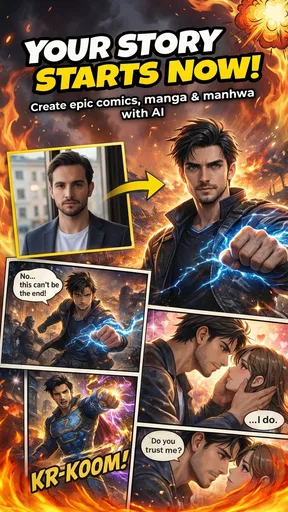
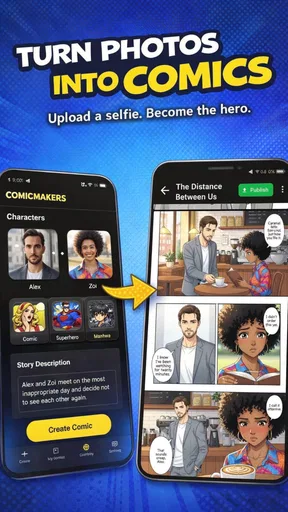
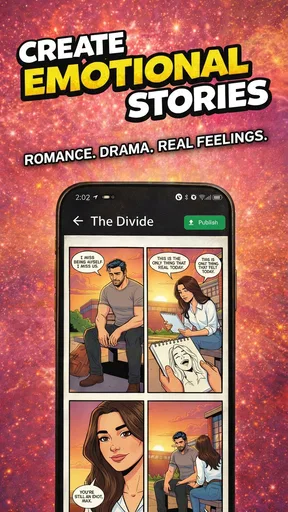
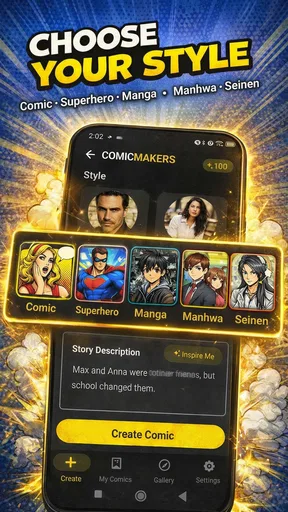
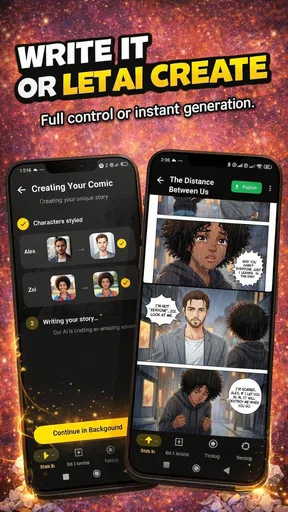
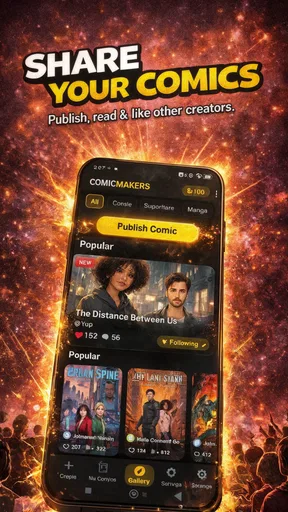
 Analysis by AppCompare
I usually begin a comic with a small, manageable idea: a character waiting for a late bus, a quick joke between friends, or a scene I can picture but cannot draw confidently. That is the kind of starting point where Comic Maker: AI Comic Creator makes sense to me. It is a free comics app from LEBEDUSHKA, MCHJ XK, aimed at people who want to turn a story idea into comic-style pages without first mastering illustration software. Its audience rating is Teen, and its current version is 1.25.0.
The useful question is not whether an app can replace an artist; it is whether it helps you move from a rough idea to something you can show someone. I found this one most appealing as a low-pressure place to sketch out a scene, test a visual direction, and get a first draft moving. It is less suited to someone who needs exact control over every mark or a dependable professional publishing pipeline. That distinction matters: a quick creative assistant and a full digital art studio solve different problems.
From a loose idea to a workable page
My practical approach is to keep the first prompt narrow. Rather than asking for a whole plot in one go, I would describe one moment, identify who is in it, and decide what feeling the panel should carry. A short, specific starting point is easier to judge than a sprawling premise, and it gives me a clearer basis for deciding what to keep or change. The AI-driven art generator is helpful here as a way past the blank page, not as a substitute for deciding what the story is about.
That workflow also avoids a common trap with AI-assisted comic making: generating attractive images that do not belong to the same story. I would settle the character’s basic role and the scene’s mood before creating a run of panels, then check each image against those choices. If a result drifts, I would revise the prompt or use it as a rough visual reference rather than force it into the final page. The app’s stated ability to adjust styles, characters, and color schemes gives room to explore, but a consistent comic still depends on your own editorial eye.
For a small everyday project, imagine having a spare half hour and wanting to make a short comic about a familiar mishap at work or school. I would write the setup, break it into a few beats, and use the available templates to arrange the panels. Then I would add only the dialogue needed to make the punchline or emotional turn clear. That order helps keep the page readable: if the art, layout, and words are all being reconsidered at once, even a simple scene can become a tangle of revisions.
Unleashing Your Inner Artist
Comic Maker: AI Comic Creator is designed to make comic creation as simple as possible, while still offering enough depth for those who want to get creative. From the second you open the app, you’re greeted with a sleek and user-friendly interface. You won’t need to watch a dozen tutorials to figure out how everything works—everything is pretty much self-explanatory.
One of the coolest features? The AI-driven art generator. You just input your story idea or a simple prompt, and the app works its magic to generate artwork. It’s a bit like having your own personal art assistant who never complains about overtime. You can adjust styles, tweak characters, and even play around with different color schemes. I found this feature particularly useful when I hit a creative block—it’s like the app gave me a gentle nudge in the right direction.
Worth Reading Before You Choose

EA SPORTS FC Mobile 26 Is a Bigger Football Game, but It Takes Time

Flipboard Shows What News Apps Must Do Beyond the Feed

Switching to Android Auto Means Rethinking Your Driving Routine

Google Calendar Makes a Crowded Week Easier to Manage

Ludo King Makes the Most of the Minutes Between Plans

Baby Panda World Brings Quick Play to Modern Phones, but Its Game Library Feels Busy
Creating Your Masterpiece
The app is packed with customizable templates that make panel creation a breeze. Whether you're into classic superhero layouts or more modern, abstract designs, there’s something here for everyone. You can drag and drop elements, resize them as needed, and pretty much create the comic of your dreams. The layering system is intuitive, letting you stack and organize elements just like you would in professional design software.
For a smoother session, I would decide on the reading order before spending time polishing individual panels. A layout can look lively but still make the reader hesitate over where to look next. I would also treat layers as a practical editing tool: keep the visual elements and lettering easy to adjust separately, and postpone tiny refinements until the panel sequence works. That makes it less frustrating to move a character or change a bubble when the story beats need reshaping.
Templates are a useful shortcut, but they can also steer a page toward familiar rhythms. If every moment gets the same amount of space, a quiet reaction may feel as loud as the reveal. I would vary panel size and spacing when the available layout allows it, giving the important beat more visual room. The trade-off is speed versus precision: a template can get a beginner started quickly, while someone chasing a very particular page composition may prefer a drawing or layout tool with more deliberate controls.
Now, let’s talk about text. Adding dialogue and narration is super straightforward. You can choose from a variety of fonts that suit the mood of your story, and the speech bubble options are both fun and versatile. Whether your characters are having an epic showdown or a simple coffee chat, you’ll have the perfect bubble to match the tone. I had a blast experimenting with different styles to see how they altered the feel of my story.
My advice is to read every panel’s lettering at phone size before calling a page done. A line that seems clear while editing can become cramped once it sits inside a bubble, and decorative fonts can make even a short sentence harder to scan. I would trim dialogue before shrinking it to fit, especially in a fast exchange. This small check often improves the finished comic more than adding another visual flourish, because readers need to understand the beat without stopping to decipher it.
Sharing Your Creation
Once you're satisfied with your masterpiece, sharing it is as easy as pie. The app allows you to export your comic in various formats, perfect for uploading to social media or sharing with friends. I shared mine on Instagram, and the feedback was overwhelmingly positive. The quality of the export is top-notch, ensuring your artwork looks just as stunning on screens as it does in the app.
Export is the point where a personal experiment becomes something another person can read, so I would check the sequence and text once more before sending it on. A friend viewing a page in a feed may not know what I intended; the images and words have to carry the story on their own. For a quick social post, a compact scene with a clear opening and ending is easier to follow than an unresolved excerpt that depends on context.
The handoff can also change the way I plan the work. If I know I want to share a comic, I would keep the lettering comfortably legible and avoid putting an essential detail at the edge of a panel. If I am making it only for myself, I can leave in rough ideas and visual experiments. This is a small but useful distinction: the app can help create and export a comic, while the creator still needs to think about how a reader will encounter it outside the editing process.
For those looking to take their comic creation to the next level, there’s an option to print your comics as well. Imagine holding a physical copy of your work—it’s downright exhilarating! I haven’t tried this feature yet, but it’s definitely on my to-do list.
I would treat printing as a separate finishing decision rather than assume a page that looks good on a phone is ready for paper. Before committing to a physical copy, review the page order, margins, lettering, and overall contrast at a larger viewing size. That extra check is especially worthwhile for a comic made quickly from templates: screen-friendly spacing and a compact feed layout may not automatically make a comfortable printed page.
Who will get the most from it
This app is a sensible fit for a beginner who wants to make a short comic for friends, a student exploring visual storytelling, or a writer who needs a rough visual version of a scene before developing it further. It can also suit someone who enjoys experimenting with characters and color but does not want to start by drawing every element from scratch. The appeal is the combination of generated artwork, panel arrangement, and lettering in one creative flow.
I would be more cautious if I were building a long-running series with strict character continuity, preparing polished pages for professional publication, or relying on exact control over anatomy, perspective, and line work. In those cases, a dedicated illustration app—or working with an illustrator—offers a more suitable path. Comic Maker is better approached as a creator-friendly shortcut and idea workshop than as a promise that every generated panel will match a precise visual brief.
Compared with making a comic in a general drawing app, this app puts the comic-making process closer to the surface: panel templates and speech bubbles are part of the intended workflow rather than elements you have to assemble from scratch. A general art app may give an experienced artist more direct control over brushes and composition, but it can also require more setup. Compared with writing a script or storyboard on paper, this app can make an idea feel visual sooner; paper, in turn, is quicker for rearranging beats without worrying about finished artwork.
There is also a practical cost decision. The app is free to start, with optional in-app purchases ranging from $4.99 to $89.99 per item. I would explore the basic creation flow first and decide whether the app fits my habits before paying for anything. That is particularly sensible for a casual user making one short comic; someone who expects to create regularly may judge optional purchases differently, based on what they actually need from the app.
Where the creative flow can snag
The main friction in AI-assisted work is that a generated image can be appealing without being useful for the exact panel you have in mind. If the character’s pose or the scene’s details do not support the dialogue, I would rather simplify the panel than keep trying to rescue an unsuitable image. A comic is read as a sequence, so a visually striking image is not automatically the right image. Editing for clarity is part of the work, even when the first draft arrives quickly.
Another limitation is the gap between a quick creator and a specialist production tool. Template-based construction can make a first page feel approachable, but a creator with a detailed page plan may find the predefined structure restrictive. Likewise, an AI result can suggest a mood, yet a specific recurring character may need careful review from panel to panel. I would use the app to test a premise, make a playful one-off, or prepare a rough pitch—not assume it removes the need for revision.
The app has a 3.9 average from around 200 ratings, with several dozen written reviews, and more than 10,000 installs. Those figures suggest a modest audience rather than a universally established standard, so I would approach it with realistic expectations: try a small project first and see whether its workflow suits the way you think. It is free to download, and it is rated Teen. It was released on February 14, 2026, and version 1.25.0 requires Android 8.0 or later.
The Verdict
In a nutshell, Comic Maker: AI Comic Creator is a must-try for anyone interested in comics, whether you're a seasoned artist or someone just dipping their toes into the world of storytelling. It's intuitive, powerful, and most importantly, fun. The AI art generator is a standout feature that breathes life into your ideas, and the ease of sharing ensures your creations get the audience they deserve.
I would soften the “must-try” part for anyone who needs total artistic control or a carefully consistent visual series; a dedicated drawing workflow is likely the better fit there. For a beginner with a scene in mind, though, the app offers a useful way to turn that idea into panels and see whether the story works. My best practical tip is to keep the first project short, check the lettering on a small screen, and treat generated art as material to edit rather than a finished answer.
If you’re ready to unleash your creativity and start crafting your own stories, give this app a whirl. Who knows, you might just create the next big comic sensation!
Pros
- Easy-to-use interface for beginners.
- Wide variety of comic templates available.
- AI-generated suggestions enhance creativity.
- Customizable characters and scenes.
- Export options for multiple formats.
Cons
- Limited free version features.
- Occasional lag with high-resolution images.
- Some AI suggestions lack relevance.
- In-app purchases can be expensive.
- No offline editing capabilities.
FAQs for Comic Maker: AI Comic Creator
What is Comic Maker: AI Comic Creator?
Comic Maker: AI Comic Creator is an innovative app designed to help users easily create their own comic strips using AI technology. The app offers a range of templates, characters, and tools, allowing both beginners and experienced creators to bring their stories to life with minimal effort.
How user-friendly is Comic Maker: AI Comic Creator?
The app is designed with an intuitive interface, making it accessible for users of all skill levels. With drag-and-drop features, customizable templates, and guided tutorials, even those new to comic creation can quickly get started and produce professional-looking comics.
What features does Comic Maker: AI Comic Creator offer?
Comic Maker offers a variety of features such as AI-powered character design, customizable templates, text bubbles, and special effects. Users can also import their own images and use the app’s editing tools to enhance their comics, creating a unique and personalized storytelling experience.
Is Comic Maker: AI Comic Creator available for both Android and iOS?
Yes, Comic Maker: AI Comic Creator is available for download on both Android and iOS platforms. Users can find the app in the Google Play Store for Android devices and the Apple App Store for iOS devices, ensuring a wide range of accessibility.
Are there any in-app purchases or subscriptions in Comic Maker: AI Comic Creator?
While Comic Maker: AI Comic Creator offers a free version with basic features, it also includes optional in-app purchases and subscription plans. These provide access to premium features, such as additional templates, exclusive characters, and advanced editing tools, enhancing the overall creative experience.


